Finance calculator (TVM solver)
This works like the TVM keys on a financial calculator. Choose which value to solve for, enter the other four, and the calculator finds the answer and draws the cash flows. It covers loans, savings plans, annuities and bonds: anything with a starting sum, level payments and an end amount.
Usually the same as P/Y.
Period 0 is today. Arrows up: money you receive. Arrows down: money you pay. Middle periods are left out; each has the same payment.
| Key | Value | Meaning |
|---|---|---|
| N | 60 | Total number of payment periods |
| I/Y | 6.0000% | Nominal annual interest rate |
| PV | $20,000.00 | Received today (e.g. a loan) |
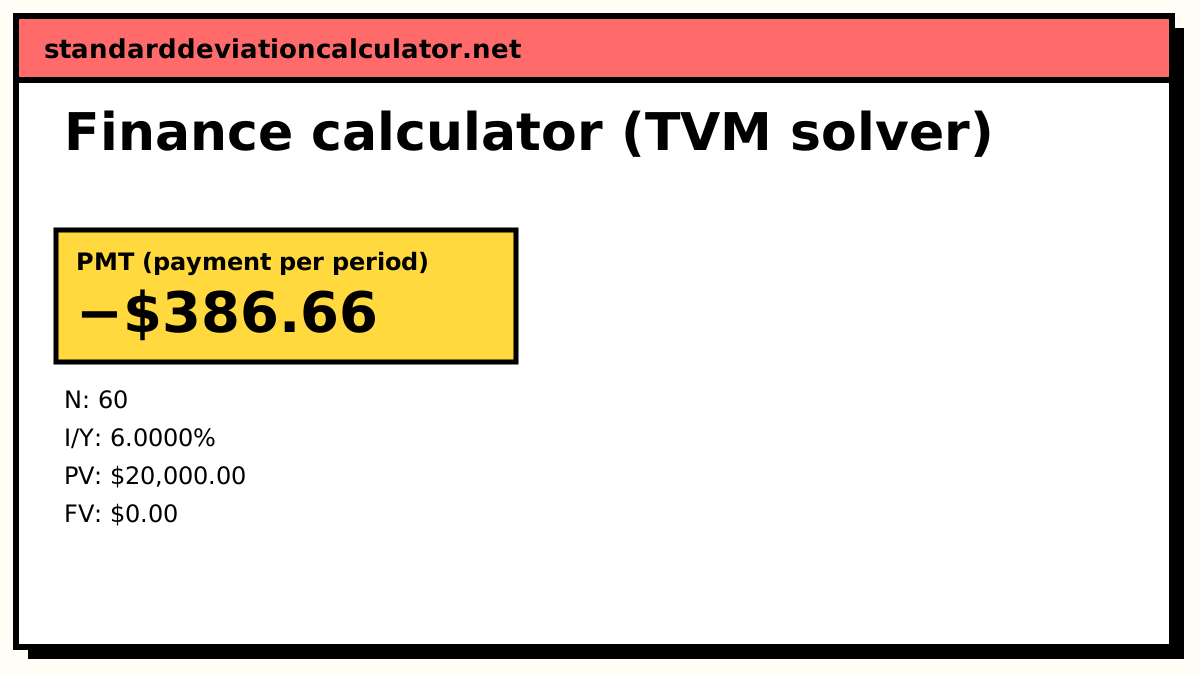
| PMT | −$386.66 | Paid each period |
| FV | $0.00 | Nothing left at the end |
Show the working, step by step
Rate per payment period from I/Y = 6.0000%, C/Y = 12, P/Y = 12.
i = (1 + 0.060000 ÷ 12)^(12 ÷ 12) − 1 = 0.500000%
Payments at the end of each period, so t = 0.
(1 + i)^N = 1.348850 annuity factor = (1 + i·t)((1 + i)^N − 1) ÷ i = 69.770031
Solve for PMT.
PMT = −[PV(1 + i)^N + FV] ÷ [(1 + i·t)((1 + i)^N − 1) ÷ i] PMT = −$386.66
Check: the TVM equation should come to zero.
$20,000.00 × 1.3489 + −$386.66 × 69.7700 + $0.00 = 0.00
Results are estimates to the cent; a bank rounds each payment, so its figures can differ slightly. This is a calculation, not financial advice.
The TVM equation
PV × (1 + i)^N + PMT × (1 + i·t) × ((1 + i)^N − 1) ÷ i + FV = 0
i is the interest rate per payment period, and t is 0 for END mode or 1 for BGN mode. The equation says that, once everything is moved to the same date, what you pay and what you receive cancel out. PV, PMT and FV can each be solved in one step; N comes from logarithms; I/Y has no closed form, so it is found numerically, as a financial calculator does.
The sign convention
| Situation | PV | PMT | FV |
|---|---|---|---|
| Loan you take out | + (you receive it) | − (you pay) | 0 (paid off) |
| Savings plan | − (you deposit) | − (you deposit) | + (you collect) |
| Annuity you buy | − (you pay) | + (you receive) | 0 |
| Bond you buy | − (price) | + (coupons) | + (face value) |
Finance (TVM): a worked example
The calculator starts by solving for the monthly payment on a $20,000 loan at 6% a year over 5 years: N = 60, I/Y = 6, PV = 20,000, FV = 0, P/Y = C/Y = 12, END mode.
- Rate per month: i = 0.06 ÷ 12 = 0.5%.
- (1 + i)^N = 1.005^60 = 1.348850.
- Annuity factor: (1.348850 − 1) ÷ 0.005 = 69.7700.
- PMT = −(20,000 × 1.348850 + 0) ÷ 69.7700 = −$386.66.
The minus sign means you pay it. Sixty payments total $23,199.36, so the interest is $3,199.36. Switch “Solve for” to another key and the default values reproduce the same loan: solving PV with PMT = −386.66 gives back $20,000.21 (the payment was rounded to the cent).
More examples
- Savings (FV): deposit $1,000 now and $100 a month for 10 years at 5%. N = 120, I/Y = 5, PV = −1,000, PMT = −100 gives FV = $17,175.24.
- Payoff time (N): the same $20,000 at 6% paid at $500 a month: N = 44.74 months, so 44 full payments and a smaller 45th.
- Rate (I/Y): a lender offers $20,000 for 60 payments of $400. Solving I/Y gives 7.42% a year.
Results are exact to the formula; a lender that rounds payments or charges daily interest will differ by a few cents. This is a calculation, not financial advice.
Common questions
What do N, I/Y, PV, PMT and FV mean?
They are the five time-value-of-money keys on a financial calculator such as the TI BA II Plus or HP 12C. N is the number of payment periods, I/Y the nominal annual interest rate in percent, PV the present value (the amount at the start), PMT the level payment each period and FV the future value (the amount left at the end). Enter any four and solve the fifth.
Why do some values have to be negative?
The equation balances money flowing in against money flowing out, so they need opposite signs. Money you receive is positive and money you pay is negative. Borrowing $20,000 makes PV = +20,000 and the repayments PMT negative. Saving makes the deposits (PV and PMT) negative and the balance you collect (FV) positive. If every value has the same sign there is no answer, which is the “Error 5” on a BA II Plus.
What is the difference between BGN and END mode?
END (the default) places each payment at the end of its period, as with most loans. BGN places it at the start, as with rent, leases and many savings plans. In BGN mode each payment earns or is charged one extra period of interest. The default $20,000 loan at 6% over 60 months costs $386.66 a month in END mode and $384.73 in BGN mode.
What are P/Y and C/Y?
Payments per year and compounding periods per year. They are usually equal: 12 and 12 for a
monthly loan. If they differ, the calculator converts the annual rate into an equivalent rate
per payment: i = (1 + I/Y ÷ C/Y)^(C/Y ÷ P/Y) − 1. With 6% compounded yearly but paid
monthly, i = 0.4868% a month and the loan payment falls to $385.18.
How do I do the same in Excel?
Excel uses the same sign convention and has one function per key: =PMT(6%/12, 60,
20000) returns −386.66; =FV(rate, nper, pmt, pv, type), =PV(…),
=NPER(…) and =RATE(…) solve the others. The last argument, type, is 0
for END and 1 for BGN.
Related calculators
-
Investment calculator
Savings growth with a year-by-year table.
-
Compound interest
A = P(1 + r/n)^(nt) and the rule of 72.
-
Financial mathematics
NPV, IRR and other finance formulas.